Updating Software
By using Cambrionix Connect you will be able to automatically download and install the most up to date software (Cambrionix Connect and the Cambrionix Hub API)
By going into the settings section on the left-hand side of Cambrionix Connect, you can navigate to the general tab, and under this can see the options for keeping both Cambrionix Connect and the API up to date.
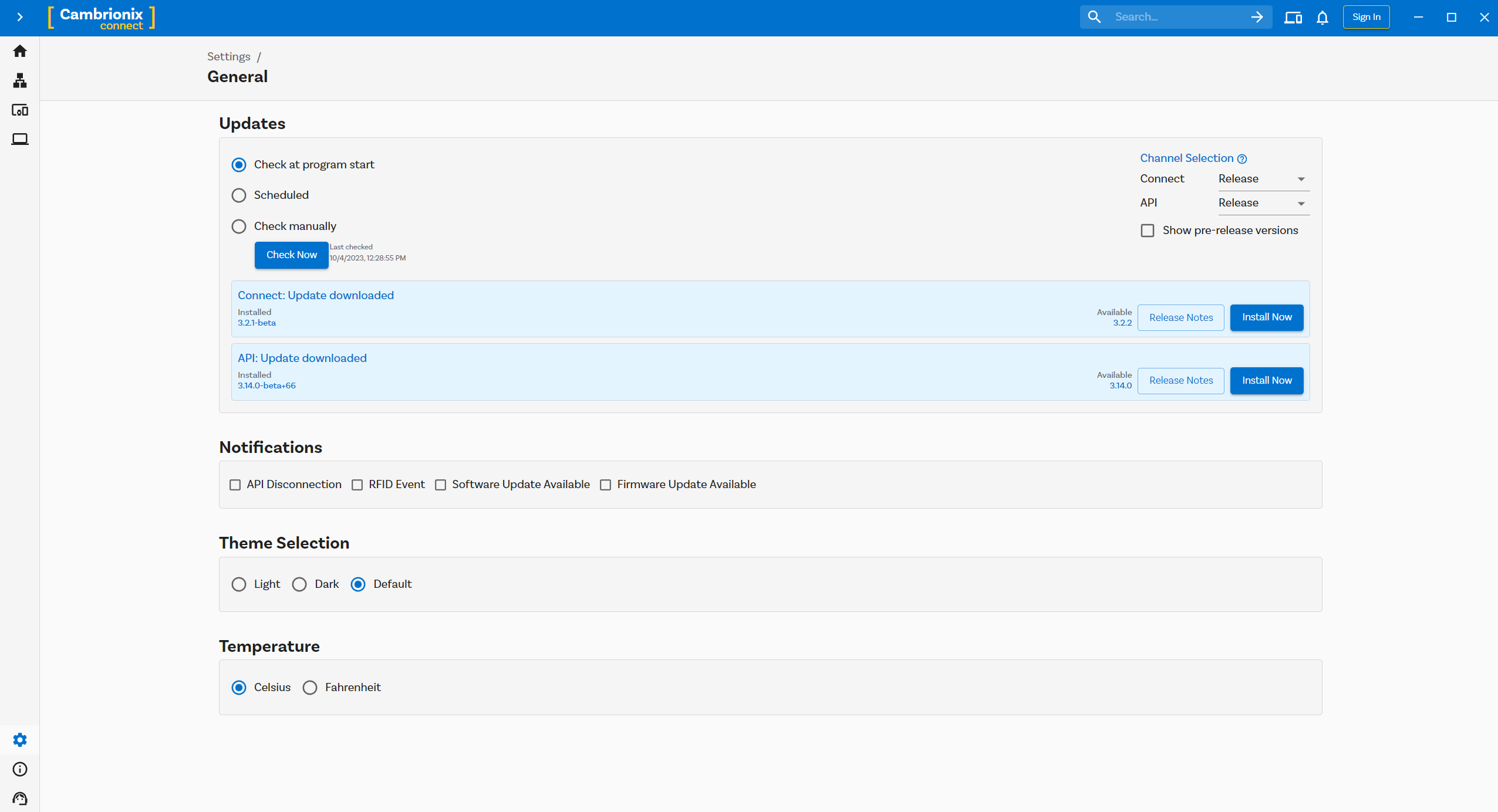
Figure 6.2
By default Cambrionix Connect will check for updates regularly or, if you prefer, you can change to a manual update selection. You can also select which version of the software you would like to use between the Beta or Release options. You can also select historic versions of the API and Cambrionix Connect to install.
When you have some software updates available, you can select install now to begin the installation process; a progress bar will appear to show the installation status. From this bar, you can also view the release notes for the version of the software you are looking at.